.NET 10 · Blazor Server · VSA · MudBlazor

Blazor POS Source Code

Point of Sale System — Complete Source Code

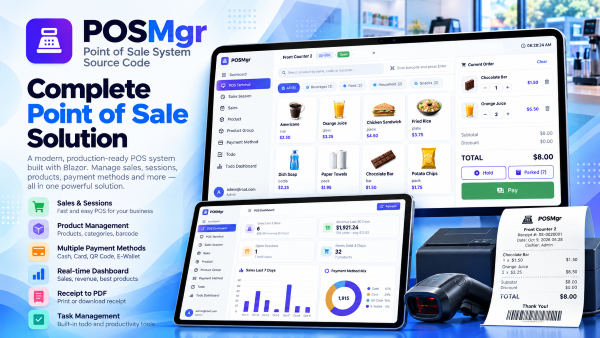
A production-ready point of sale application to run fast checkout, manage cashier sessions, products, payments, and receipts. Built with .NET 10, ASP.NET Core, Blazor Server, MudBlazor, Vertical Slice Architecture, and CQRS handlers wired to Minimal API endpoints.

$21 $49
Instant Download
Buy Now — $21 via Lemon Squeezy
cards
Powered by paypal
Live Demo
Blazor POS — Point of Sale System .NET 10 Blazor Server
The Problem

Business Problems Solved

Retail and counter-based businesses struggle with slow manual checkout, invisible sales performance, and fragmented payment records — leading to long queues, lost revenue, and unreliable reporting.

Slow, Error-Prone Checkout

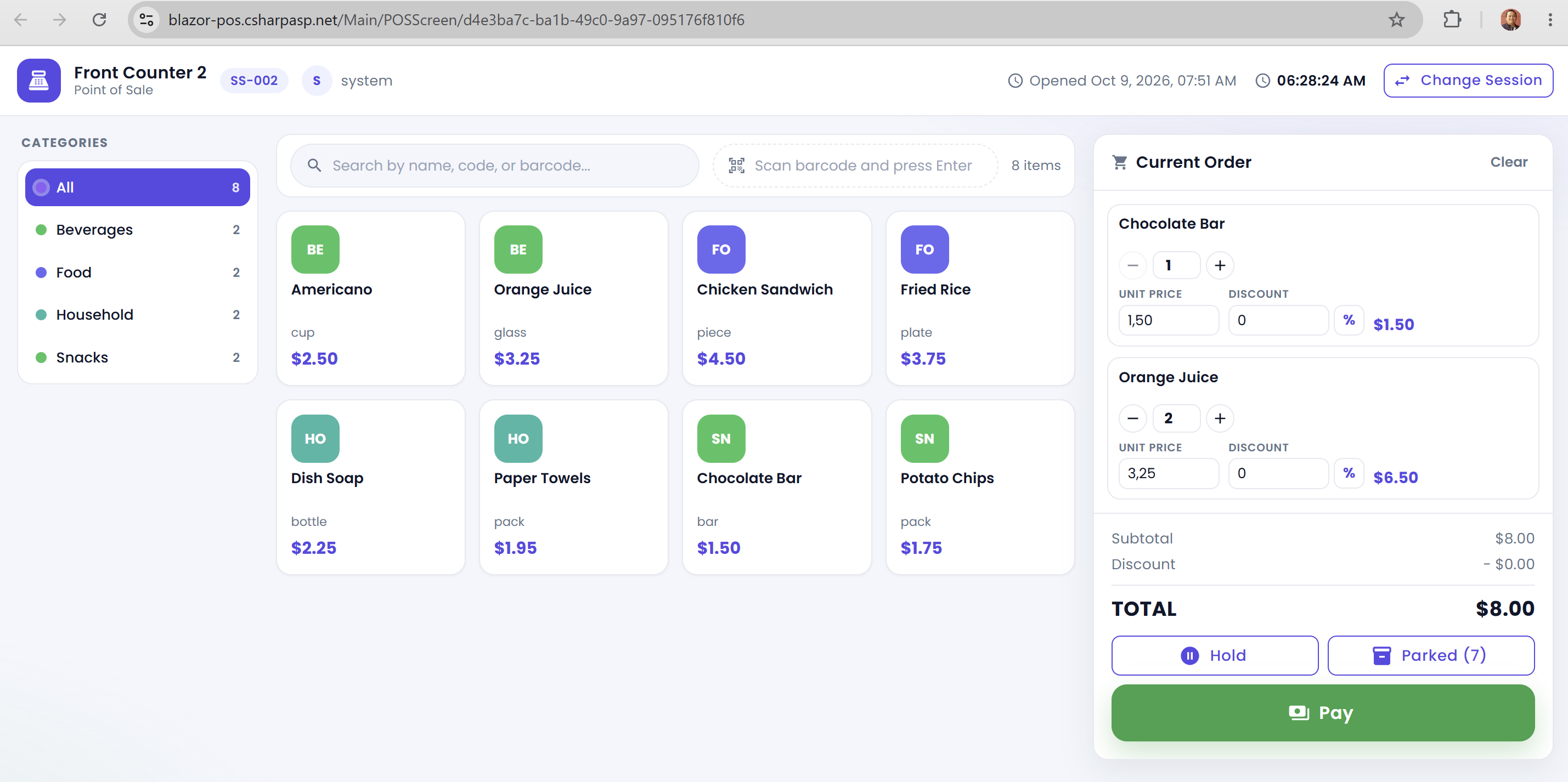
Cashiers type prices manually, search printed price lists, and customers queue at the counter. Blazor POS gives you a fast barcode-driven POS terminal with instant product search, cart management, and Hold/Parked sales.

No Real-Time Sales Visibility

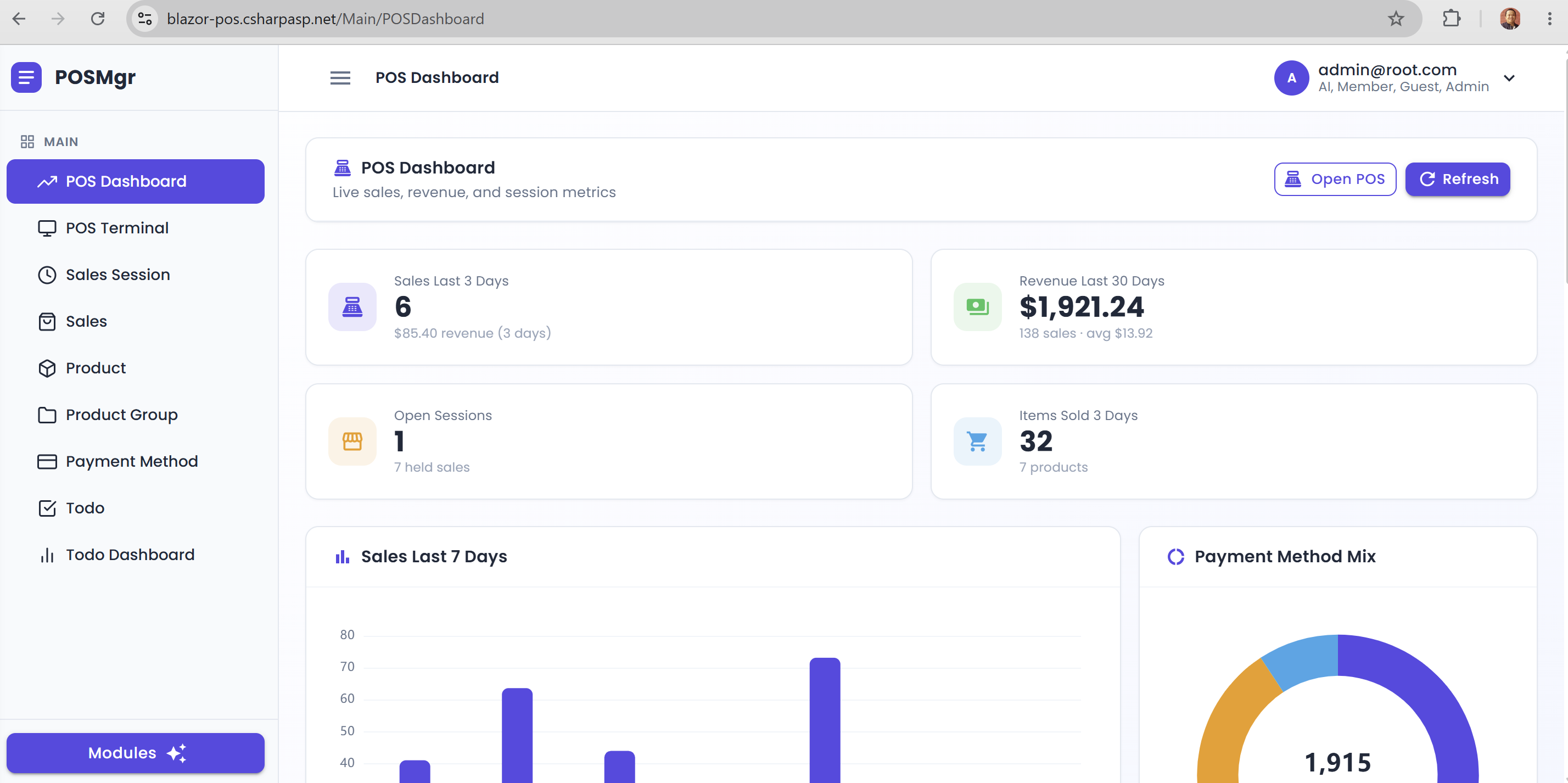
Store owners only see yesterday's totals after closing and cannot react during the day. Blazor POS includes a real-time sales dashboard with revenue KPIs, transaction counts, top products, and payment breakdowns.

Fragmented Payment Handling

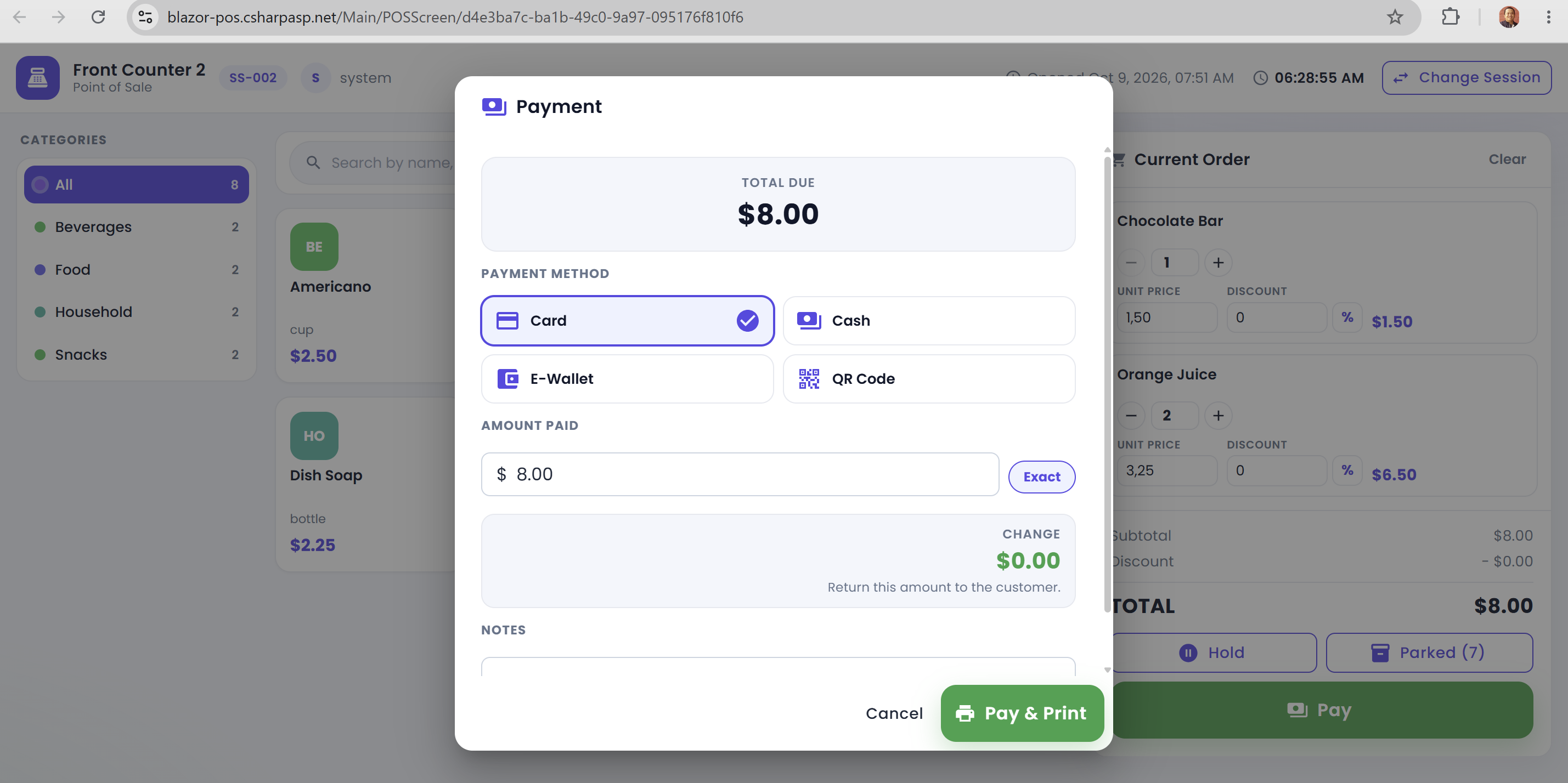
Cash, cards, e-wallets, and QR codes end up recorded in different places that never reconcile. Blazor POS handles Cash, Card, E-Wallet, and QR payments in one checkout flow with complete payment records.

Receipts & Sales Records Scattered

Paper receipts get lost and manual bookkeeping makes disputes impossible to resolve. Blazor POS prints or exports every receipt to PDF and stores every sale inside a searchable sales session.

Business Features

What's Included in Blazor POS

Complete end-to-end point of sale features — every module is a complete vertical slice with Blazor pages and components, a CQRS handler, a FluentValidation validator, a Minimal API endpoint, and EF Core queries.

POS Terminal

Barcode scan, instant product search, cart, quantity control, Hold/Parked sales

Sales Session

Open a cashier session, hold and resume sales, close with a full summary

Product Catalog

Product, Product Group, pricing, barcode, and unit measure

Payment Methods

Cash, Card, E-Wallet, QR — change calculation and payment records

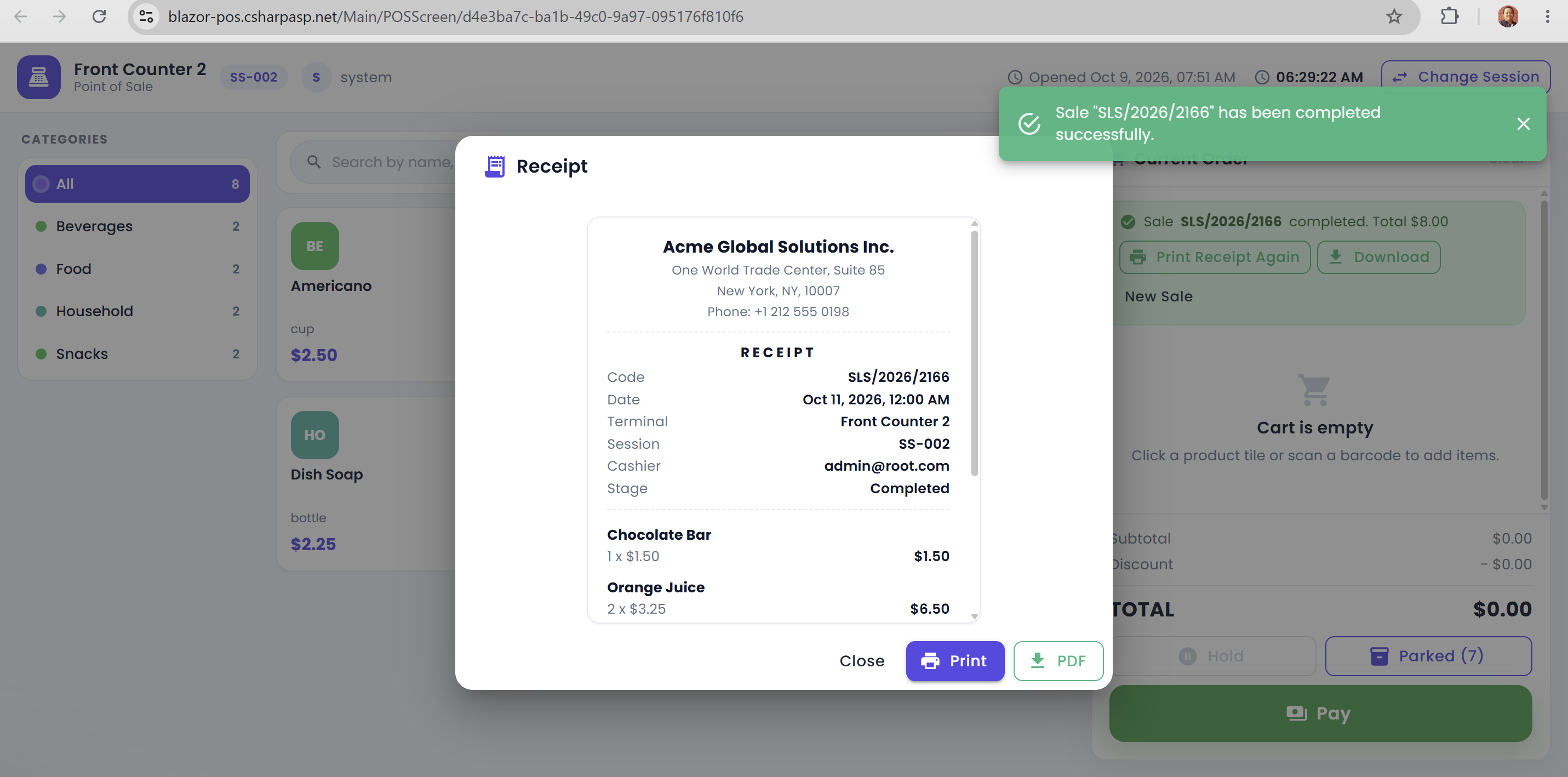
Receipts

Professional receipt with print and PDF export after every sale

Dashboard

Real-time revenue, transaction counts, top products, payment breakdowns

Audit Trail

Every create/update/delete logged with user ID and timestamp

To-Do List

Built-in task management for daily store operations

App Settings

Users, Currencies, Auto Number, appsettings.json inspection

Technology

Technologies Used

Blazor POS is built on the modern .NET ecosystem with production-grade libraries and tools.

.NET 10 ASP.NET Core 10 Blazor Web App (Interactive Server) MudBlazor ASP.NET Core Minimal APIs Entity Framework Core 10 CQRS Handlers (No MediatR) FluentValidation Hangfire SignalR Serilog Firebase SSO
LayerTechnology
Framework.NET 10
Web FrameworkASP.NET Core 10
UI RenderingBlazor Web App — Interactive Server render mode (SignalR circuit)
UI Component LibraryMudBlazor (Material Design components for Blazor)
UI AssetsSheetJS (Excel export), jsPDF (PDF receipt/report), ECharts (dashboards)
Architecture PatternVertical Slice Architecture (VSA) via ASP.NET Core Areas + CQRS plain handlers (no MediatR)
API StylePer-feature Minimal API groups (/api/{entity}) with Swagger/OpenAPI
Data AccessEntity Framework Core 10 — code-first, auto-create on startup, DataTable paging/search/sort helpers
DatabaseInMemory (zero-config) / SQL Server / PostgreSQL — toggle IsUsed in appsettings.json
ValidationFluentValidation
AuthenticationASP.NET Core Identity + JWT access/refresh token rotation + Firebase SSO (Google)
AuthorizationRole-Based (Guest / Member / Admin / AI) + rate-limited endpoint policies
Real-TimeSignalR circuit (Blazor Web App interactive server mode)
Background JobsHangfire — dashboard at /hangfire, recurring jobs (daily log cleanup)
EmailMailKit — SendGrid / Mailgun / SMTP / Mailjet (switch via appsettings.json)
LoggingSerilog — rolling files, optional database sink and Seq, 3-day auto cleanup
ObservabilityHealth checks (/health/live, /health/ready) + Admin Ops metrics dashboard + OpenTelemetry (OTLP)
AI ChatOptional AI assistant — ChatGPT / Claude / Gemini / DeepSeek (provider + API key)
Architecture

Application Architecture

Blazor POS uses Vertical Slice Architecture (VSA) with plain CQRS handlers wired directly into per-feature Minimal API endpoints — the modern, maintainable approach to building .NET applications.

Vertical Slice Architecture

Each feature (POS Terminal, Product, Sales, Sales Session, etc.) lives in its own folder under ASP.NET Core Areas with its Blazor pages, feature components, CQRS handlers, validators, and Minimal API endpoint all in one place. Zero coupling between features. Add a feature without touching unrelated code.

Folder structure: Areas/Main/POSTerminal/ contains Pages/, Components/, Cqrs/, and Endpoints/ — everything for that feature.

CQRS via Minimal API Endpoints

Commands (writes) and queries (reads) are separated into single-purpose handler classes — CreateSalesHandler, GetProductListHandler, GetSalesExportHandler. Every handler exposes one HandleAsync() method and returns ApiResponse<T>. There is no MediatR dependency and no pipeline magic: Minimal API endpoints inject the handler directly, while Blazor pages call the same handler through HandlerInvoker with a fresh DI scope per call. Read-only dashboards use EF Core AsNoTracking().

Example: GetSalesListHandler receives a DataTableRequest (paging, search, sort) and returns ApiResponse<T>; CreateSalesHandler validates with FluentValidation then saves via EF Core.

Single-Project Monolith

The entire application — Blazor UI, REST API, business logic, data access, and authentication — lives in one .NET 10 project. No distributed complexity, no microservice overhead. Single F5 to run. Deploy as one unit to Azure, IIS, or Docker. Perfect for teams that value simplicity and velocity.

Project Structure Overview

Indotalent/
├── Areas/
│   ├── Main/                     # POS features (Admin + Member roles)
│   │   ├── POSScreen/            # POS checkout page + payment/receipt dialogs
│   │   ├── POSDashboard/         # real-time sales dashboard (ECharts)
│   │   ├── POSTerminal/          # POS terminal master data
│   │   ├── Product/  ProductGroup/  PaymentMethod/
│   │   ├── Sales/                # sales, parked sales, receipt
│   │   ├── SalesSession/         # cashier sessions
│   │   └── Todo/  TodoDashboard/
│   ├── Admin/                    # User, Role, Tax, Currency, Country, Company,
│   │   │                         # AutoNumberSequence, logs, System File
│   ├── AI/Chat/                  # multi-provider AI chat (ChatGPT/Claude/Gemini/DeepSeek)
│   ├── Identity/                 # Account pages (Login, Register, Manage)
│   ├── Public/                   # Home + built-in Documentation
│   └── Blazor/                   # App shell, layouts, HandlerInvoker, circuit services
├── Infrastructures/              # Auth, database, email, jobs, logging, OTel, rate limiting
├── Data/                         # Entities, enums, seeders, Identity migration
├── Shared/                       # ApiResponse, DataTable helpers, pagination
└── Program.cs                    # Single entry point with full configuration

Areas/Main/POSTerminal/           # Feature folder convention (VSA)
├── Pages/         # Index / Create / Edit / Detail (.razor)
├── Components/    # feature-local dialogs and forms
├── Cqrs/          # GetList/GetById/Create/Update/Delete handlers + validators
└── Endpoints/     # POSTerminalEndpoint.cs -> /api/postterminal
Security

Security & Authorization

Security is baked into the architecture from the ground up — not bolted on as an afterthought.

Blazor POS ships with a fully configured authentication and authorization system. ASP.NET Core Identity manages users and roles with secure password hashing. JWT access tokens (with SHA-256 hashed refresh tokens and rotation) protect the REST API, Identity cookies authenticate the Blazor UI circuit, and Firebase SSO (Google) is included as an optional single sign-on.

Role-based access control (RBAC) ships with four roles — Guest, Member, Admin, and AI. Areas and API groups declare their required roles (POS checkout allows Admin or Member; AI Chat allows Admin or AI), and every API group runs behind rate-limiting policies (global, authenticated, write, admin).

With Blazor Server, source code and connection strings never leave the server. All data access happens server-side via SignalR — zero exposure of database credentials or business logic to the client.

Security Features

  • ASP.NET Core Identity — User registration, login, password hashing, password reset
  • JWT + Refresh Token Rotation — Short-lived access tokens, SHA-256 hashed refresh tokens, automatic rotation
  • Role-Based Access Control — Guest, Member, Admin, AI roles
  • Firebase SSO — Optional Google sign-in via Firebase Authentication
  • Rate Limiting — Four endpoint policies: global, authenticated, write, admin
  • Audit Trail & Soft Delete — IHasAudit auto-populated on SaveChanges; soft-deleted rows hidden by a global query filter
  • SignalR Protection — Blazor Server connections secured with [Authorize]
  • Server-Side Code — Source code and DB credentials never leave the server
Integration

REST API & Integration

Blazor POS exposes a complete REST Web API for all entities — ready for mobile apps, third-party integrations, and external systems.

API Endpoints

Every feature registers one Minimal API endpoint group. All endpoints are JWT-protected, role-authorized, rate-limited, and return an ApiResponse<T> envelope.

GET/api/product— Product list — DataTable paging, search, sort
GET/api/product/export— Full Excel export (SheetJS download)
GET/api/sales/pos-products— POS product catalog for the terminal
POST/api/sales— Create a sale (checkout)
GET/api/sales/{id}/receipt— Receipt data for print / PDF
GET/api/sales/pos-parked-sales?sessionId=— Parked (held) sales for a session
GET/api/sales/pos-open-sessions— Open cashier sessions
DELETE/api/sales/{id}— Soft-delete (void) a sale

The same pattern applies to every entity: product, productgroup, paymentmethod, posterminal, salessession, todo, posdashboard — plus /export, /{id}/items, and /{lookup}-lookup routes.

API Features

  • Swagger/OpenAPI Docs — Interactive API documentation at /swagger
  • JWT Authentication — Access + refresh tokens — every endpoint requires a Bearer token; rotation built in
  • Request/Response DTOs — Clean separation from domain models
  • FluentValidation — Input validation on all endpoints
  • Server-Side DataTables — Paging, search, and sorting handled by CQRS list handlers
  • Excel Export — /export endpoints feed client-side .xlsx download via SheetJS
  • Rate Limiting — Per-policy limiting on authenticated and write operations
  • Mobile-Ready — Use the API to build mobile apps or integrate with external systems
Database & Deployment

Database & Deployment

Three database providers, a one-line switch, and a built-in demo seeder — ready to run in under 60 seconds.

Database

  • InMemory — Zero-config provider for instant evaluation (no database server needed)
  • SQL Server — Production provider, auto-created and seeded on startup
  • PostgreSQL — Production provider, switch with a single IsUsed toggle in appsettings.json
  • Demo Mode — Sample users, products, payment methods, and sales seeded automatically (DemoMode:IsDemo)
  • Auto-Create & Seed — EnsureCreated + DatabaseSeeder/DemoSeeder on startup; Identity schema migration included

Deployment Options

  • Azure App Service — Deploy directly from Visual Studio or GitHub Actions
  • IIS (Windows Server) — Standard ASP.NET Core publish to IIS
  • Docker — Dockerfile + docker-compose.yaml included
  • Windows / Linux / macOS — .NET 10 runs everywhere
  • Single Project — No distributed complexity. One publish, one deploy
  • Setup Time: Clone repo → choose a database provider → F5 → running in under 60 seconds

Application Screenshots

Explore the Blazor POS interface — POS terminal, dashboard, payments, receipts, and more.

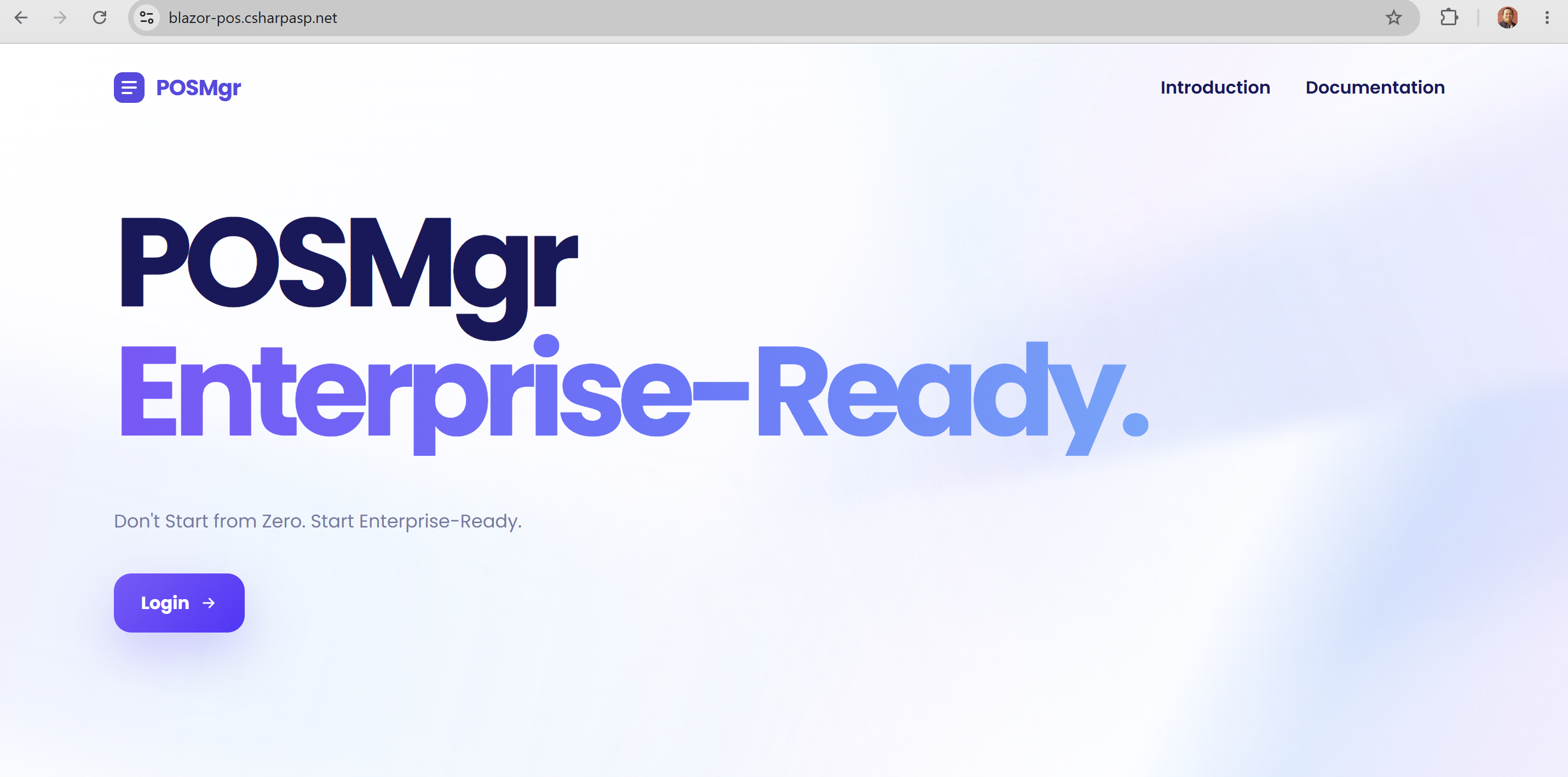
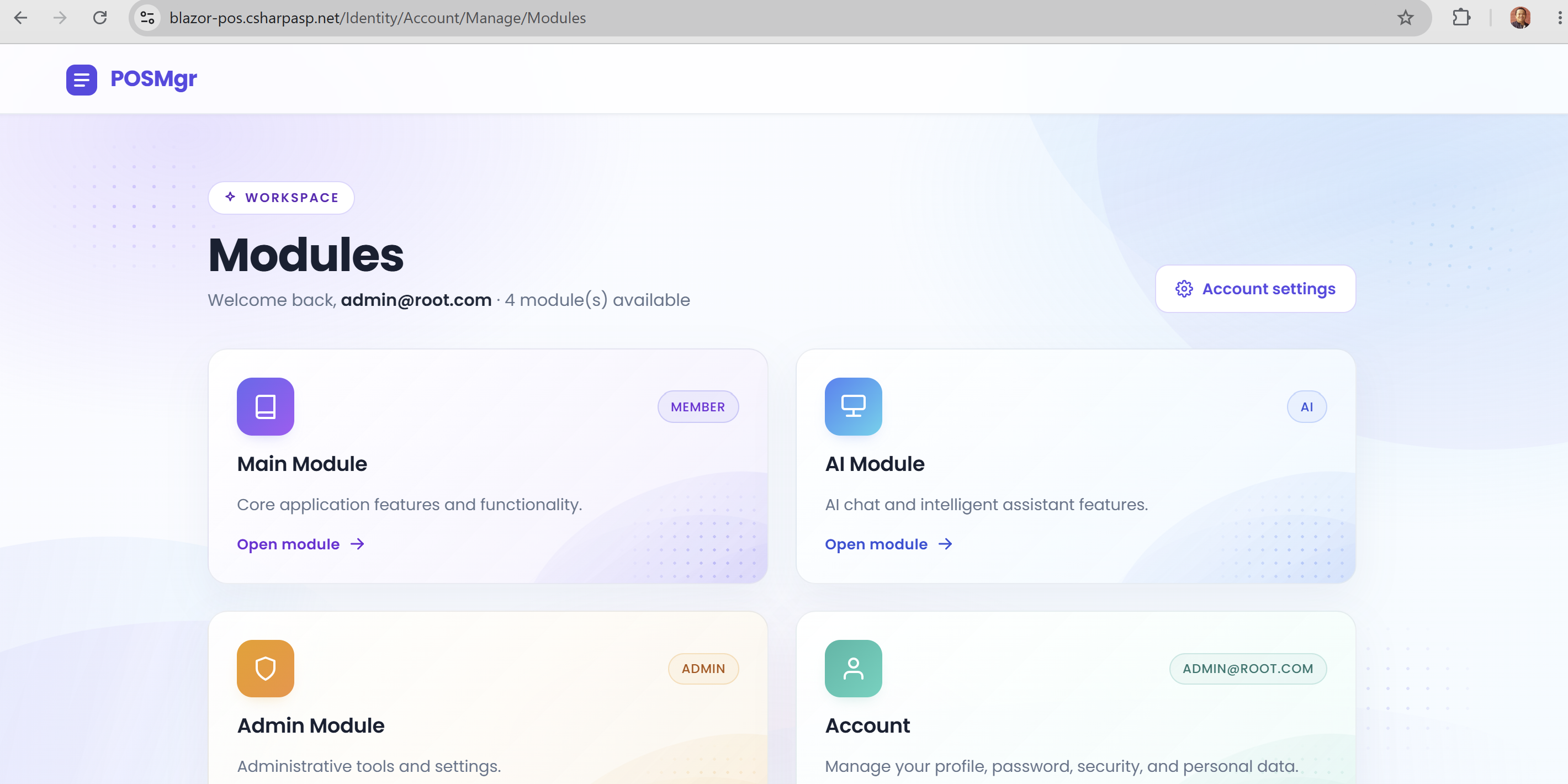
Blazor POS Landing Page — POSMgr Blazor POS Dashboard Blazor POS Terminal with Cart Blazor POS Payment Modal Blazor POS Receipt Blazor POS Modules Workspace

Try the Live Demo

Test every feature before you buy. No registration required.

URL: https://blazor-pos.csharpasp.net/

Email: admin@root.com

Password: 123456

FAQ

Frequently Asked Questions

You get the complete, unrestricted C# source code of the entire Blazor POS application. A single .NET 10 project with all features, Vertical Slice Architecture implementation, EF Core migrations, seed data, and full configuration. Clone, set your connection string, press F5, and it runs immediately. Includes POS terminal, sales sessions, product catalog, payment methods, receipts, dashboard, REST API, authentication, authorization, and audit trail.
Yes. The POS terminal is built for barcode-driven checkout: scan or search a product, add it to the cart, and submit the sale. After payment, Blazor POS generates a professional receipt you can print or export to PDF. Every completed sale is stored in its sales session for later lookup.
Yes! Each license covers one end product per client project. You can rebrand, add custom POS workflows, integrate additional payment providers, and deploy for your clients. Freelancers and agencies save weeks of development. Each new client project requires a separate $21 license. See our License page.
Yes. Three database providers ship in the box — InMemory (zero-config), SQL Server, and PostgreSQL. Switch providers with a single IsUsed toggle in appsettings.json. The database is auto-created and seeded on startup with DatabaseSeeder and Demo Mode — no manual migration step required.
Blazor POS uses Vertical Slice Architecture (VSA) with plain CQRS handlers wired directly into per-feature Minimal API endpoints — no MediatR dependency. Each feature (Product, Sales Session, POS Terminal, etc.) lives in its own folder with pages, components, CQRS handlers, FluentValidation validators, and its endpoint file. The same handler powers both the Blazor UI (via HandlerInvoker) and the REST API. This pattern is AI-friendly, beginner-friendly, and production-proven. Read our VSA Introduction.
Due to the digital nature of source code, we have a strict no-refund policy. That's why we provide a fully functional live demo — test every feature before you buy. Full policy here.

Get Blazor POS Source Code

Complete, unrestricted C# source code. Single .NET 10 project.

$21 $49
Instant Download
Buy Now — $21 via Lemon Squeezy

or

cards
Powered by paypal

Secure checkout via PayPal or LemonSqueezy. No subscription.

MVC EDevKit

NEW · ASP.NET Core MVC

The Same VSA You Know. Now in ASP.NET Core MVC.

MVC EDevKit Basic is the MVC implementation of Vertical Slice Architecture — every feature lives in one self-contained folder with Controllers, CQRS handlers, per-feature Endpoints, and Razor Views.

  • MVC implementation of VSA — one folder per feature: Controllers, Cqrs handlers, Endpoints, Views + DataTables.
  • Production-grade & AI-Ready — included skill file generates a complete feature in 18 files from a single prompt.
  • 10 enterprise features pre-built — Identity + JWT + Firebase SSO, Hangfire, multi-provider email, Serilog, health checks.
More Detail
MVC EDevKit Basic ASP.NET Core MVC starter

7 Free Enterprise Manager Apps

Included free with every MVC EDevKit purchase
Asset ManagerComplete IT asset lifecycle management
Booking ManagerResource booking, approvals, check-in/out
Helpdesk ManagerInternal IT support ticketing
Invoice ManagerCreate, manage, track invoices
Meal ManagerMeal ordering for staff and guests
Project ManagerProjects, timesheets, and skill matrix
Roster ManagerEmployee shift scheduling